Hunter Ceiling Fans

  • Home
  • Hunter Manuals
  • Hunter Fan Parts
    • Hunter Ceiling Fan Remotes
    • Hunter Ceiling Fan Light Kits
    • Hunter Ceiling Fan Blade Arms
    • Hunter Ceiling Fan Blades
    • Hunter Ceiling Fan Downrods
    • Hunter Ceiling Fan Pull Chains
    • Hunter Ceiling Fan Wall Controls
    • Hunter Ceiling Fans Replacement Globes
  • Hunter Support
  • Hunter Commercial Ceiling Fans

Can Hunter Fan Work Without Remote?

April 7, 2025 by admin Leave a Comment

Can You Operate Your Hunter Ceiling Fan Without a Remote?

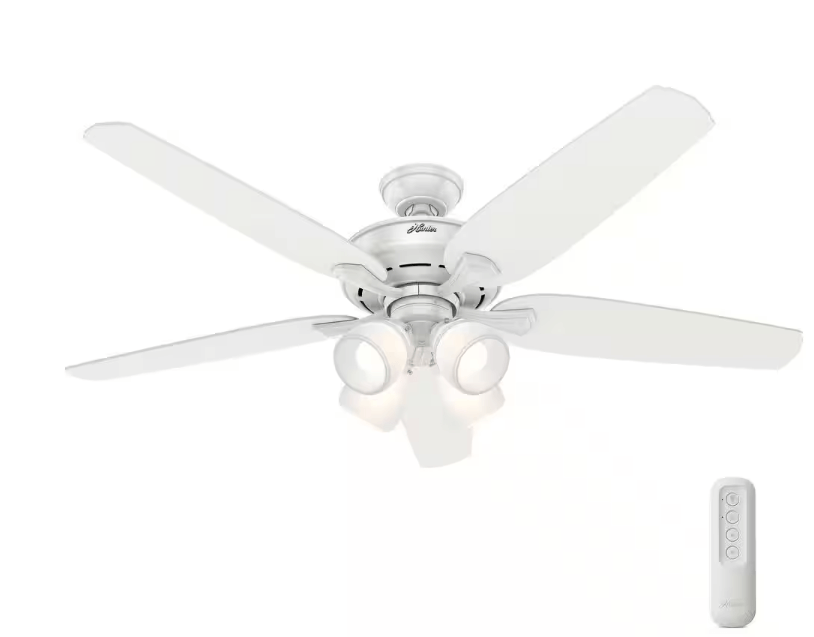
Hunter ceiling fans are designed for comfort, efficiency, and style, and many of their models come equipped with a remote control for added convenience. However, there are times when the remote might malfunction, get lost, or even need to be replaced, leaving you wondering if the fan can still work without it. The short answer is: yes, your Hunter ceiling fan can still operate without a remote.
hunter ceiling fan remote app

In this article, we’ll explore how Hunter fans can be operated manually, how to troubleshoot remote issues, and what options you have for continued use of your fan in case your remote is not working or is unavailable. We’ll also discuss different control mechanisms for Hunter ceiling fans, as well as provide tips on keeping everything in working order.

Let’s dive into the details of how Hunter ceiling fans operate without a remote control and what to do if you’re facing this issue.

1. Understanding Hunter Ceiling Fan Controls

While many Hunter ceiling fans come with remote controls for convenience, they still have traditional methods of control that allow them to function without a remote. Depending on the model you own, these methods can include:

Pull Chain Controls

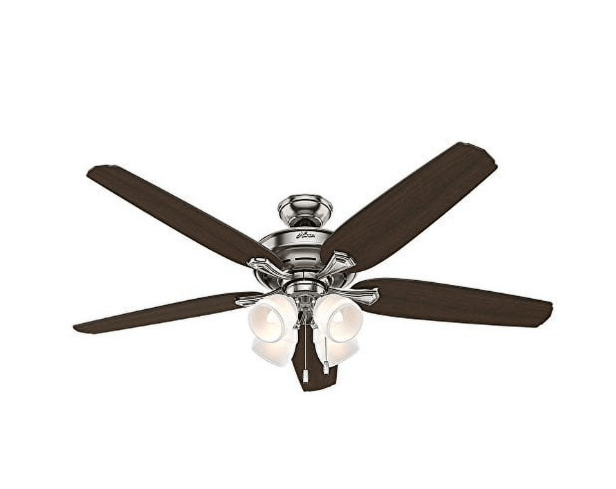
The simplest and most common way to operate a Hunter ceiling fan without a remote is using a pull chain. Most Hunter fans come with a pull chain to control the fan’s speed, direction, and light settings. You can pull the chain to cycle through different fan speeds (low, medium, high) or toggle the light on and off.

How to Operate with Pull Chains:

  • Fan Speed Control: The pull chain usually controls the fan speed. Pull once to turn the fan on, and then continue pulling to cycle through the different speed settings.
  • Light Control: If your fan has an integrated light kit, the pull chain can also be used to turn the lights on and off or adjust their brightness, depending on the model.

Wall Switches

If your Hunter fan has a wall-mounted switch, you can control it directly through this switch. This is typically a standard on/off switch for the fan. However, some models come with more advanced wall controls that allow you to adjust the fan speed and light levels.

How to Use a Wall Switch:

  • On/Off Function: If your fan only has a basic wall switch, you’ll be able to turn the fan on and off by flipping the switch.
  • Speed Control: For fans with more advanced wall switches, you can adjust the speed or even set the fan’s direction using a simple dial or toggle.

Hunter Ceiling Fans with Smart Technology

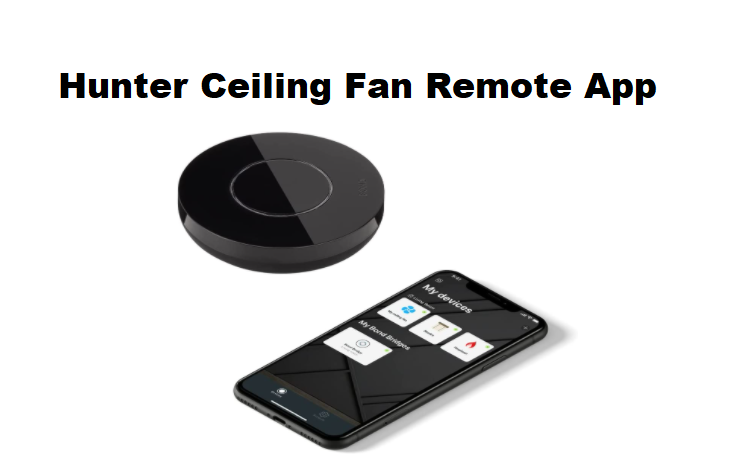
Some newer Hunter ceiling fan models come with HunterSmart™ technology, which allows the fan to be controlled via a smartphone app or voice assistant like Alexa or Google Assistant. Even without the physical remote, you can still operate these fans through your mobile device or voice commands.

How to Use Smart Controls:

  • Voice Control: Simply use your smart device or voice assistant to control the fan’s speed, light, and direction without the need for a remote.
  • Mobile App Control: Download the HunterSmart™ app to control your fan from your smartphone, ensuring convenience without a remote.

2. Troubleshooting a Non-Functional Hunter Fan Remote

If your Hunter fan is equipped with a remote control but it’s not working, there are a few common issues that could be causing the problem. Fortunately, many of these can be fixed quickly.

Check the Remote Battery

One of the most common reasons your Hunter fan remote may stop working is a dead battery. The first thing you should do is check and replace the battery in the remote.

  • Solution: Replace the battery with a new one and ensure it’s inserted correctly, following the battery polarity markings inside the remote.

Reset the Remote Control

If the battery isn’t the issue, your remote may need to be reset or re-synced with your ceiling fan.

  • Solution: Most Hunter fans allow for easy remote resetting by turning off the power at the breaker, waiting for about 30 seconds, and then turning the fan back on. Once powered on, follow the instructions in your fan’s user manual to sync the remote with the fan again.

Check the Remote Receiver

The issue may lie with the fan’s receiver, especially if the remote works intermittently or not at all.

  • Solution: If the receiver is malfunctioning, it may need to be replaced. You can purchase replacement remote receivers from Hunter or contact their customer service for assistance.

3. Can a Hunter Ceiling Fan Operate Without a Remote?

As mentioned earlier, Hunter ceiling fans can operate manually without a remote control. Here’s a summary of how to operate your fan without the remote:

  • Pull Chain: Use the pull chain to control the fan’s speed and turn the light on or off.
  • Wall Switch: If your fan is wired to a wall switch, use it to control the fan’s on/off function and speed settings (if applicable).
  • HunterSmart™ Control: If your fan has smart technology, use your smartphone or voice assistant to control the fan.

If your remote has stopped working and you don’t want to rely on pull chains or wall switches, you can purchase a replacement remote or opt for a universal remote control that is compatible with your Hunter fan model.

4. Why Choose Hunter Ceiling Fans Without a Remote?

While Hunter fans with remotes are incredibly convenient, there are benefits to opting for manual control methods as well:

  • Reduced Complexity: Not relying on a remote reduces the chances of interference or connectivity issues. It also eliminates the need for batteries or charging.
  • Simple Operation: For those who prefer a more straightforward fan control experience, using a pull chain or wall switch can be easier than managing remote settings.
  • Cost-Effective: Ceiling fans without remotes are generally less expensive and may be a more budget-friendly option if you don’t need the extra features of a remote.

5. Conclusion

Yes, your Hunter ceiling fan can work without a remote, and it’s designed with user-friendly manual controls like pull chains and wall switches. While the remote offers added convenience, you can still enjoy optimal performance with manual settings.

If you find that your remote has stopped working, troubleshooting steps like replacing the battery, resetting the remote, or checking the receiver can help. Additionally, if you prefer the ease of a remote, you can always purchase a replacement remote or opt for Hunter’s smart technology for a more connected experience.

By understanding how to operate your Hunter ceiling fan without a remote, you can continue to enjoy its comfort and functionality, no matter the situation.
Filed Under: Hunter Ceiling Fans

Hunter Channing Ceiling Fan

April 7, 2025 by admin Leave a Comment

Hunter Channing Ceiling Fan: A Comprehensive Guide for Every Home

Introduction: What Makes the Hunter Channing Ceiling Fan Stand Out?

The Hunter Channing Ceiling Fan is a popular choice for homeowners looking to combine comfort, style, and performance in their living spaces. With its timeless design and modern functionality, it has become a favorite in homes around the world. Whether you’re upgrading your current fan or installing a new one, the Hunter Channing Ceiling Fan provides all the features you need for optimal airflow, energy efficiency, and aesthetic appeal.

In this guide, we’ll take an in-depth look at the Hunter Channing Ceiling Fan, its features, the different sizes available, installation tips, common troubleshooting issues, and why it may be the perfect addition to your home. Let’s explore what makes this fan a standout option for both style and functionality.

1. Key Features of the Hunter Channing Ceiling Fan

WhisperWind Motor Technology: Quiet and Powerful Performance

One of the defining features of the Hunter Channing Ceiling Fan is its WhisperWind motor. This motor technology delivers ultra-powerful airflow while ensuring whisper-quiet operation. Whether you’re using the fan for cooling in the summer or for warm air circulation in the winter, the WhisperWind motor helps maintain comfort in your home without the distracting noise that some ceiling fans produce. This makes the Hunter Channing a great choice for bedrooms, home offices, or any room where quiet operation is essential.

  • Airflow: The 52″ model provides 4859 CFM (cubic feet per minute) on high speed, ensuring efficient air circulation.
  • Motor Reversibility: The fan’s reversible motor allows you to switch the direction of the fan blades. In the summer, the fan helps cool your room by pushing cool air downward. In the winter, you can reverse the direction to circulate warm air that accumulates near the ceiling.

Energy-Efficient LED Bulbs: Bright, Dimmable Lighting

The Hunter Channing Ceiling Fan is equipped with LED lighting that provides ample illumination for any room. The fan includes four 9-Watt energy-efficient dimmable LED bulbs, offering both bright and adjustable lighting. LED bulbs last significantly longer than traditional incandescent bulbs, helping you save on electricity bills and reduce the frequency of bulb replacements.

  • Energy Efficiency: LED bulbs consume less power while providing bright light, helping you cut down on energy costs over time.
  • Dimmable Functionality: Adjust the light’s brightness to match the mood or activity, whether it’s reading, relaxing, or entertaining.

Premium Glass Shading: Elegant and Stylish Design

The light kit on the Hunter Channing fan features premium painted cased white glass shadings. This adds an elegant touch to the fan’s design and ensures soft, diffuse lighting throughout the room. The sleek and stylish glass complements the fan’s overall aesthetic, making it a perfect match for modern, traditional, or transitional decor.

Versatile Blade Options: Aesthetic Flexibility

The Hunter Channing Ceiling Fan comes with non-reversible blades that are available in a range of finishes to match your room’s style. Whether you prefer a white finish for a minimalist look or a more rustic finish, you can find the right option for your space.

  • 52″ Model: This model is equipped with 5 Snow White blades.
  • 54″ and 60″ Models: These larger models come with reversible Light Gray Oak and American Walnut blades, allowing you to customize the fan’s appearance to suit your room’s decor.

Mounting and Installation: Easy to Install

The Hunter Channing Ceiling Fan is designed to be easy to install, even for DIY enthusiasts. It comes with a 2-3 inch downrod, which ensures optimal airflow and is suitable for most ceiling heights. If your ceiling is angled or vaulted, you can mount the fan on an angled ceiling using longer downrods, which are sold separately.

2. Different Sizes and Their Benefits

52″ Model: Perfect for Small to Medium Rooms

The 52″ model of the Hunter Channing Ceiling Fan is ideal for smaller spaces such as bedrooms, guest rooms, or home offices. With an airflow of 4859 CFM, this fan is capable of circulating air efficiently in rooms of various sizes, ensuring maximum comfort throughout the year.

hunter channing 52 inch ceiling fan

54″ Model: A Balanced Option for Larger Rooms

The 54″ model offers a more balanced airflow (4552 CFM) and is perfect for living rooms, dining rooms, or large bedrooms. This fan provides the right amount of cooling power for medium to large rooms, making it an excellent choice for versatile spaces.

60″ Model: Great for Spacious Rooms

For larger, open spaces such as great rooms or vaulted ceilings, the 60″ model provides maximum airflow, ensuring your entire room is evenly cooled or heated. With strong airflow and increased efficiency, it’s an ideal fan for large areas that require a higher level of air movement.

hunter channing 60 inch ceiling fan

3. How to Install the Hunter Channing Ceiling Fan

Step-by-Step Installation Guide

Installing the Hunter Channing Ceiling Fan is a straightforward process. Whether you’re a DIY enthusiast or hiring a professional, this fan comes with an easy-to-follow installation manual. Here’s a simplified installation guide:

  1. Turn Off Power: Before starting any installation work, make sure to turn off the power to the room at the circuit breaker.
  2. Assemble the Fan Components: Unbox the fan and assemble all the necessary components. Attach the blades and the light kit as per the instructions in the manual.
  3. Mount the Fan: Secure the mounting bracket to the ceiling. Attach the fan to the bracket using the provided screws and downrod.
  4. Wiring the Fan: Connect the wiring according to the instructions in the manual. If you’re unfamiliar with electrical work, it’s recommended to hire a licensed electrician.
  5. Test the Fan: After assembly and wiring, turn the power back on and test the fan to ensure it operates correctly.

Installation Tips:

  • Always use the provided downrod for optimal airflow.
  • Mount the fan on a flat ceiling or use an angled ceiling mount kit if your ceiling is sloped.
  • For ceiling heights above 8 feet, consider a longer downrod to ensure the fan operates efficiently.

4. Troubleshooting Common Issues with the Hunter Channing Ceiling Fan

Hunter Channing Ceiling Fan Remote Not Working

If your Hunter Channing Ceiling Fan’s remote isn’t working, here’s what you can do:

  1. Check the Batteries: Ensure the remote batteries are not depleted. Replace the batteries if needed.
  2. Pair the Remote: If the remote is still unresponsive, refer to the manual for instructions on how to pair or reset the remote.
  3. Replace the Remote: If the remote is faulty, you may need a replacement, which can be easily ordered online.

Hunter Channing Ceiling Fan Not Turning On

If your ceiling fan doesn’t turn on, the issue could be due to:

  • Wiring Problems: Check if the wires are properly connected. Loose or disconnected wires may prevent the fan from receiving power.
  • Blown Fuse or Circuit Breaker: Inspect the fan’s fuse and the circuit breaker to ensure there are no issues with the electrical supply.

Hunter Channing Ceiling Fan Light Not Working

If the fan’s light kit isn’t working, it could be because:

  • Burned-Out Bulbs: The LED bulbs may have burned out, and you’ll need to replace them.
  • Loose Connections: Check the connections between the fan and the light kit to ensure they are properly attached.

5. Why Choose the Hunter Channing Ceiling Fan?

Reliability and Durability

Hunter Fans has been in the industry for over 138 years, and the Channing ceiling fan exemplifies their commitment to quality and reliability. Backed by a Limited Lifetime Motor Warranty, the Hunter Channing fan is built to last, providing long-term value and peace of mind for homeowners.

Energy Efficiency

The Channing ceiling fan is designed to help reduce your home’s energy consumption. With LED lighting and a powerful, yet quiet, motor, you can enjoy comfortable airflow and illumination without significantly impacting your electricity bill.

Stylish Design

Whether you prefer modern, traditional, or transitional styles, the Hunter Channing fan complements any home decor. With different finishes, reversible blades, and customizable lighting, it’s a versatile fan that enhances the aesthetic appeal of any room.

6. Hunter Channing Ceiling Fan Reviews: What Are Customers Saying?

Positive Reviews

  • Comfort and Quiet Operation: Many users rave about the fan’s quiet operation and ability to cool the room without the annoying hum of traditional fans.
  • Energy Efficiency: Customers have noted the long-lasting LED bulbs and energy-saving motor, helping reduce monthly utility bills.
  • Design Flexibility: The ability to switch between Light Gray Oak and American Walnut blades (in larger models) has been highly appreciated, allowing homeowners to customize their fan to suit their room’s decor.

Common Complaints

  • Remote Control Pairing: Some users have experienced difficulty pairing the remote with the fan, but most find that following the troubleshooting steps in the manual resolves the issue.

Hunter Channing Ceiling Fan Manual

To ensure a smooth and hassle-free installation, as well as proper maintenance, it’s important to follow the instructions provided by the manufacturer. You can download the official Hunter Channing Ceiling Fan Manual for detailed guidance, including installation steps, wiring instructions, troubleshooting tips, and maintenance advice.

Download Hunter Channing Ceiling Fan Manual (PDF)

This manual will help you make the most of your Hunter Channing Ceiling Fan, ensuring it operates efficiently for years to come.

7. Conclusion: Is the Hunter Channing Ceiling Fan Right for You?

The Hunter Channing Ceiling Fan is an excellent choice for those who want a reliable, stylish, and energy-efficient ceiling fan that delivers both performance and aesthetic appeal. Whether you’re outfitting a small bedroom or a large living room, this fan’s various sizes, quiet motor, and customizable lighting options make it a top contender.

If you’re looking for a ceiling fan that combines quiet operation, modern design, and long-term reliability, the Hunter Channing Ceiling Fan is the perfect choice for your home.

Filed Under: Hunter Ceiling Fan Reviews, Hunter Ceiling Fans, Hunter Fan Manuals

Hunter Ceiling Fan Clicking Noise: Causes and Solutions

April 7, 2025 by admin 2 Comments

Introduction: Solving the Hunter Ceiling Fan Clicking Noise Issue

If you’ve noticed a persistent clicking noise coming from your Hunter ceiling fan, you’re not alone. Many homeowners experience this issue, and while it can be frustrating, the good news is that it’s usually easy to fix. A clicking or ticking sound can disrupt the peaceful ambiance of a room, but with a little troubleshooting, you can eliminate the noise and restore your ceiling fan to its quiet, efficient operation.

In this guide, we’ll walk you through the most common causes of clicking noises in Hunter ceiling fans and provide step-by-step solutions to resolve the issue. Whether it’s due to loose parts, an imbalanced fan, or a malfunctioning pull chain, we’ve got you covered. Our goal is to help you quickly identify the root cause of the noise and fix it with minimal hassle—without needing to call in a professional unless absolutely necessary.

Don’t worry if you’re not a DIY expert—we’ve broken down each solution in a simple, user-friendly way. By the end of this article, you’ll be able to troubleshoot and fix the clicking noise on your own, saving you time and money. So, let’s dive in and get your Hunter ceiling fan back to its quiet, reliable self.

Stay with us as we explore the causes and fixes of the clicking noise, ensuring your fan operates as smoothly as it was designed to.

Common Causes of Clicking Noises in Hunter Ceiling Fans

A clicking noise in your Hunter ceiling fan can be caused by several factors. Understanding the possible reasons behind this noise is key to identifying the right solution. Below are some of the most common causes of clicking sounds in ceiling fans:

1. Loose or Unbalanced Fan Blades

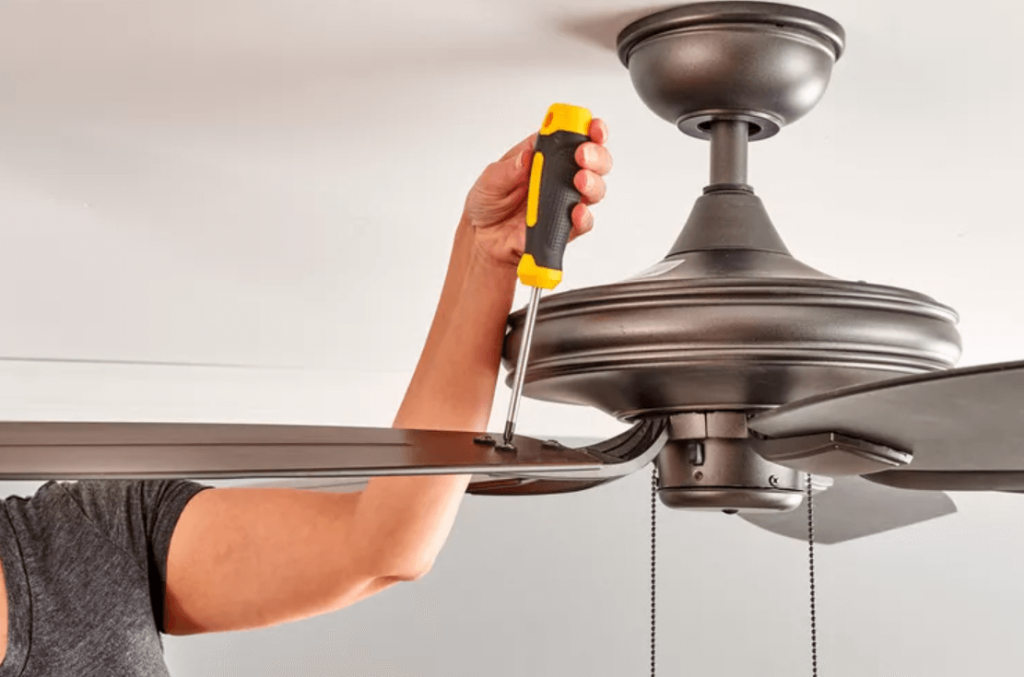
One of the most common reasons for a clicking sound is loose or unbalanced fan blades. Over time, the screws securing the blades to the motor can loosen, causing the blades to wobble slightly. This slight wobble can result in a clicking or ticking sound, especially when the fan is running at higher speeds.

tighten the fan blades

How to Fix It:

  • Turn off the fan and allow it to come to a complete stop.
  • Use a screwdriver to tighten all the screws holding the fan blades in place.
  • If the blades are unbalanced, you can use a blade balancing kit (often included with the fan) to adjust the weight distribution of the blades.

2. Debris in the Fan Mechanism

If dust, dirt, or other debris accumulates in the fan motor or between the fan blades, it can cause the fan to make clicking noises as it rotates. Even a small particle can disrupt the smooth motion of the fan and create unpleasant sounds.

How to Fix It:

  • Turn off the fan and use a soft cloth to wipe down the blades and motor housing.
  • Make sure to remove any visible dirt or dust buildup.
  • If needed, use compressed air to blow out any debris from hard-to-reach areas.

3. Faulty or Worn-Out Pull Chain

If your Hunter ceiling fan is controlled by a pull chain, a faulty or worn-out pull chain switch can cause clicking noises when the fan is turned on or off. The chain can get stuck or misaligned, making a clicking or buzzing sound as it operates.

pull chain not working

How to Fix It:

  • Turn off the fan and carefully inspect the pull chain.
  • If the chain feels loose or is malfunctioning, it may need to be replaced.
  • Replacing the pull chain switch is a relatively simple task, and you can find replacement parts at home improvement stores or online.

4. Loose or Misaligned Motor

Sometimes, the clicking sound can come from the fan’s motor, especially if the fan was improperly installed or if the motor has become loose. This can happen over time as the fan experiences vibrations during use.

How to Fix It:

  • Turn off the fan and make sure the motor is securely attached to the ceiling mounting bracket.
  • Tighten any loose screws or bolts that connect the motor to the ceiling bracket.
  • If the motor itself seems damaged or misaligned, you may need to contact a professional to inspect and repair the fan.

5. Faulty Capacitor or Electrical Issues

In rare cases, a faulty capacitor or other electrical components can cause your Hunter ceiling fan to make clicking noises. If the issue is electrical, it’s important to address it promptly, as it could affect the overall functionality and safety of the fan.

How to Fix It:

  • If you suspect electrical issues, it’s best to turn off the power to the fan at the breaker and inspect the electrical components.
  • If the capacitor or wiring appears damaged, it may need to be replaced.
  • If you’re unsure or uncomfortable working with electrical components, it’s recommended to call a licensed electrician to inspect and repair the fan.

6. Loose Internal Wiring or Sensor Wires

Within the motor housing, there are various wires, including those for the motor, light kit, and potentially the remote control receiver. If these wires are not neatly tucked away or secured, they can come loose from their plastic clips or ties. As the fan operates, these loose wires can vibrate against the inside of the housing or other components, creating a distinct clicking or rattling sound. This is particularly common with thin sensor wires, like those for remote control receivers, which can easily shift out of place.

How to Fix It:

  • Turn off the power to the fan at the circuit breaker.
  • Carefully lower the fan’s canopy to access the wiring within the motor housing.
  • Inspect for any loose wires that appear to be touching other components or vibrating freely.
  • Gently push the loose wire back into its retaining plastic tab or secure it with a small zip tie or electrical tape, ensuring it’s clear of any moving parts. Avoid using glue in areas that might need future access for repairs.

Next Steps: Troubleshooting Your Hunter Ceiling Fan

Now that you know the common causes of clicking noises in Hunter ceiling fans, let’s move on to troubleshooting your fan step-by-step. In the next section, we’ll guide you through the process of identifying the root cause of the noise and provide you with detailed instructions on how to resolve the issue yourself. Stay tuned as we walk you through the solution to get your fan working smoothly again!

Step-by-Step Guide to Fixing a Clicking Noise in Your Hunter Ceiling Fan

Now that we’ve discussed the possible causes of a clicking noise in your Hunter ceiling fan, it’s time to troubleshoot and resolve the issue. Follow these easy steps to pinpoint the cause and fix the noise quickly.

Step 1: Turn Off the Power and Inspect the Fan

Before starting any repairs, it’s crucial to turn off the fan and ensure that the power is completely cut off. This will prevent any electrical accidents while you’re working.

How to Do It:

  1. Switch off the fan using the pull chain, remote, or wall control.
  2. Turn off the power at the circuit breaker to ensure the fan is not receiving electricity.

Once the power is off, inspect the fan for any visible signs of damage, loose parts, or debris.

Step 2: Tighten the Fan Blades

Loose or unbalanced fan blades are one of the most common culprits of clicking noises. If the blades are not secured properly or are uneven, they can cause the fan to wobble and click.

How to Do It:

  1. Check the screws holding the blades in place. Tighten any loose screws with a screwdriver.
  2. Inspect the blades for any cracks or damage. If you find a damaged blade, consider replacing it with a new one from a reputable store or the manufacturer’s website.
  3. If your fan blades are unbalanced, use a blade balancing kit to ensure the blades are properly aligned.

Pro Tip: You can also check for balance using a simple method: hang a small object, like a piece of string or a clip, from the center of the fan blades. If the blades don’t seem to align properly, balancing may be needed.

Step 3: Clean the Fan and Remove Debris

Sometimes, a clicking noise can come from debris or dust buildup in the fan motor or blades. If your fan has accumulated dust or dirt over time, this can interfere with smooth rotation and cause clicking sounds.

How to Do It:

  1. Use a soft microfiber cloth or duster to clean the fan blades and motor housing.
  2. Gently wipe down the fan blades, making sure to remove any visible dirt, dust, or grease buildup.
  3. Use compressed air to blow out any debris from the motor or areas that are difficult to reach.

Pro Tip: Cleaning your fan regularly not only helps eliminate noise but also prolongs its life by keeping the motor and blades in optimal condition.

Step 4: Check the Pull Chain or Wall Control

If your Hunter ceiling fan is controlled by a pull chain, check to see if it’s functioning properly. Sometimes, pull chains can get stuck, misaligned, or faulty, causing a clicking noise.

How to Do It:

  1. Inspect the pull chain for any signs of damage or wear.
  2. If the chain is stuck or broken, replace the pull chain switch. Most fan manufacturers, including Hunter, offer easy-to-install replacement pull chain switches.
  3. If you use a wall control to operate the fan, ensure it’s properly wired and that no switches are faulty. Sometimes, the control can malfunction and create unwanted sounds.

Step 5: Inspect the Fan’s Motor and Mounting

A clicking noise could also stem from the fan motor or its mounting bracket. If the motor is loose or not aligned properly, it could cause the fan to make clicking or rattling noises as it operates.

How to Do It:

  1. Use a screwdriver to check if the fan motor is securely attached to the ceiling mounting bracket.
  2. Tighten any loose screws that may have come undone. If the fan motor seems misaligned, adjust it carefully so that it sits correctly on the mounting bracket.
  3. If there’s any visible damage to the motor or mounting hardware, consider replacing the damaged parts.

Step 6: Address Electrical Issues (If Necessary)

If the clicking sound persists after following the above steps, it may be due to electrical issues, such as a faulty capacitor or wiring problem.

How to Do It:

  1. Turn off the power to the fan at the circuit breaker.
  2. Inspect the electrical components for any visible issues, such as damaged wires or signs of overheating.
  3. If you find any damaged components, replace them with parts that are compatible with your Hunter fan model.

Important: If you’re not comfortable working with electrical components, it’s best to consult a professional electrician to address the issue safely.

Step 7: Test the Fan

After completing the necessary repairs, it’s time to turn the power back on and test the fan.

How to Do It:

  1. Switch on the power at the circuit breaker and turn the fan back on.
  2. Test the fan at different speeds to check if the clicking noise persists.
  3. If the noise is gone and the fan operates smoothly, you’ve successfully fixed the problem!

If the clicking noise continues after troubleshooting, it may be time to consult a professional or contact Hunter’s customer service for further assistance.

Final Thoughts on Fixing Your Hunter Ceiling Fan’s Clicking Noise

A clicking noise in your Hunter ceiling fan doesn’t have to be a persistent problem. By following these troubleshooting steps, you can identify and resolve the issue quickly, ensuring that your fan operates quietly and efficiently again. Whether it’s tightening screws, balancing blades, or addressing electrical issues, there’s a solution for every cause of the clicking noise.

If you’ve tried all the steps and still experience the issue, it’s always a good idea to reach out to Hunter’s customer service team or hire a professional for a thorough inspection.

We hope this guide has helped you fix the clicking noise in your Hunter ceiling fan. For more troubleshooting tips or to find parts for your fan, don’t hesitate to explore our other resources on ceiling fan maintenance and repair.

Filed Under: Hunter Ceiling Fan Troubleshooting

Hunter Ceiling Fan Manuals & User’s Guides

April 6, 2025 by admin 2 Comments

Are you here for a Hunter ceiling fan manual, It shows that there is a problem with your Hunter ceiling fan and you are looking for the guide that came with the fan. Or, perhaps you want to locate the part number available in the manual that will help you to get a replacement part. Whatever the cause is, we are here to provide different Hunter ceiling fan manuals to help you in this matter.

The below manuals are divided into different parts. You need to go through the headings to find out which manual you will need.

Hunter Ceiling Fan Manuals – Owner’s Manual

Every Hunter fan model comes with an owner’s manual, a parts guide along with an installation guide. You can consult the manual to get the troubleshooting tips, cautions, warnings, wiring help, installation preparation, how to clean your fan, how to operate it and so on. In addition, the owner’s manual may contain the installation instructions too. If not, you need to read the installation guide listed for the model of your ceiling fan.

Hunter Fan Manuals – Parts Guide

The list of parts guide is also available for each Hunter model too. The parts guide comes in handy when your part is broken or lost that comes with your fan, and now you need a replacement for it. For example, let’s suppose you lost your remote control. Or your glass globe is broken because you dropped it. The parts guide contains a physical listing of the parts, so the part number will be found in the parts guide. Once you get the part number you need, take a look and go through our site to find if the part is there. If you are unable to find the part, try to contact local store of Home Depot or view their online website. Once the part number is in your hand, it will be easy to get help. Without the part number, it is a hard nut to crack to find out which part to replace on the fan.

Hunter Ceiling Fan Manuals – Installation Guide

As mentioned, in the installation guide, it will enable you to install your Hunter fan. At times, the installation step, process or manual may be available in the relevant user’s guide for the fan model. Sometimes, it may be available in the user’s guide. If you find the relevant installation guide for your specific model, it is extremely helpful if there are any hurdles in installing your fan. If your Hunter model comes with an attachable light kit, these manuals will enable you to learn how to install your Hunter fan with or without the light kit. The instructions may also be related to how to flush mount, how to install the motor housing, how to install the fan blades, how to wire the ceiling fan and so on. An installation guide can help you from A to Z in terms of installation.

Hunter Ceiling Fan Manuals – Downloadable PDFs

Hunter Parts Guide – this parts guide enables you to find out which part # you need when you need a Hunter replacement part for your fan. You may need it due to the missing part or a broken part that you need to add to your fan to operate it properly.

Hunter Type 2A Owner’s Guide and Installation Manual – If your ceiling fan is from 2A series, this guide will enable you to install that series of fans. In addition, it will also help you to install a Hunter fan of another series too, as most installations are generic in this regard.

Hunter Low Profile IV Ceiling fan Manual

Hunter Key Biscayne Ceiling Fan Manual

Hunter Dempsey Ceiling Fan Installation Manual

Hunter Builder Deluxe Ceiling Fan Manual

Hunter Sentinel Ceiling Fan Installation Manual

Hunter Channing Ceiling Fan

Hunter Donegan Ceiling Fan Manual

Hunter Rhinebeck Ceiling Fan Manual

Hunter Swanson Ceiling Fan Manual

Hunter Presto Ceiling Fan Manual

Hunter Antero Ceiling Fan Manual

Filed Under: Hunter Ceiling Fan Troubleshooting

Hunter White Ceiling Fans: Stylish, Efficient, and Reliable Solutions

April 6, 2025 by admin Leave a Comment

Introduction: Why Choose Hunter White Ceiling Fans?

When it comes to ceiling fans, Hunter Fan Company is synonymous with quality, style, and performance. For those seeking a sleek, modern look with a touch of elegance, Hunter white ceiling fans are a perfect choice. These fans not only add aesthetic appeal to your home but also provide reliable airflow, quiet operation, and energy efficiency.

In this guide, we’ll take a closer look at several Hunter white ceiling fan models that are designed to fit a range of home styles and sizes. Whether you’re upgrading your living room, bedroom, or office, the Hunter white ceiling fans we discuss here offer the perfect combination of design and performance.

1. Hunter Builder Elite Indoor Ceiling Fan with Pull Chain Control (52″, Snow White Finish)

About This Fan

The Hunter Builder Elite Ceiling Fan is a classic, designed to bring both style and efficiency to any room. With its snow white finish, this ceiling fan blends seamlessly into modern and traditional home décor.

  • Classic Ceiling Fan: The white reversible blades ensure that this fan fits perfectly in a variety of spaces, from living rooms to bedrooms. The 52-inch blade span makes it ideal for medium to large rooms.
  • WhisperWind Motor: Experience ultra-powerful airflow with minimal noise thanks to the WhisperWind motor, delivering quiet performance whether in downdraft mode in the summer or updraft mode in winter.
  • Pull Chain Control: With easy pull chain controls, you can quickly adjust the speed and turn the fan on/off without the need for a remote control.
  • Room Placement: Perfect for rooms like living rooms, lounges, and bedrooms, this fan is height-adjustable via included 3″ and 2″ downrods, ensuring optimal air movement.

Buy the Hunter Builder Elite Ceiling Fan here

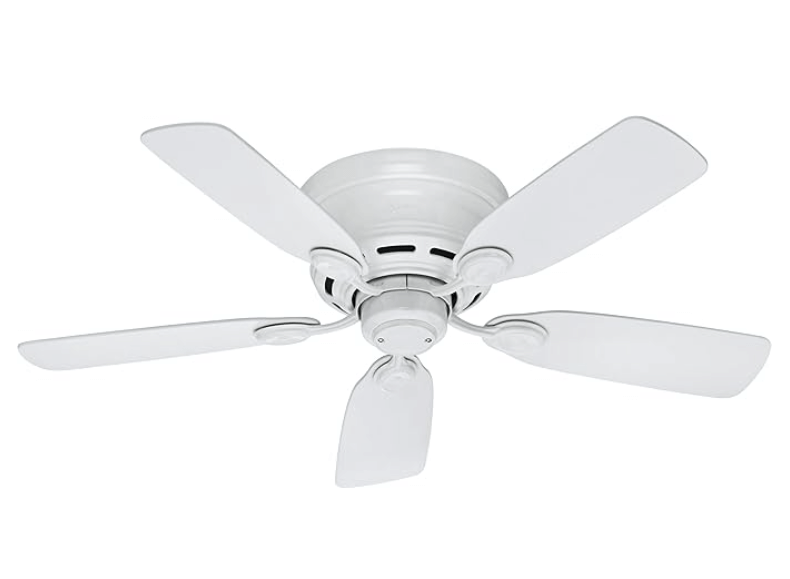
2. Hunter Low Profile IV Ceiling Fan with Pull Chain Control (42″, White Finish)

Hunter 51059 Indoor Low Profile IV Ceiling Fan white

About This Fan

The Hunter Low Profile IV Ceiling Fan is a fantastic option for homes with low ceilings. Its snow white blades and sleek design make it an excellent choice for smaller rooms that require efficient cooling without taking up too much space.

  • Classic Ceiling Fan: This ceiling fan’s low-profile design and snow white blades make it perfect for rooms with ceiling heights under 9 feet. It’s an ideal fan for small rooms or spaces with limited vertical clearance.
  • Whisper-Quiet Motor: Equipped with the WhisperWind motor, the fan provides ultra-quiet performance and the option to reverse airflow for seasonal use.
  • Low Profile Design: Specifically designed to fit rooms with low ceilings, it provides a streamlined look without compromising on air circulation.
  • Pull Chain Control: The easy-to-use pull chain allows you to control the fan’s speed and operation, providing comfort at your fingertips.

Buy the Hunter Low Profile IV Ceiling Fan here

3. Hunter Dempsey Ceiling Fan with Light (52″, Fresh White Finish)

hunter dempsey indoor low profile ceiling fan

About This Fan

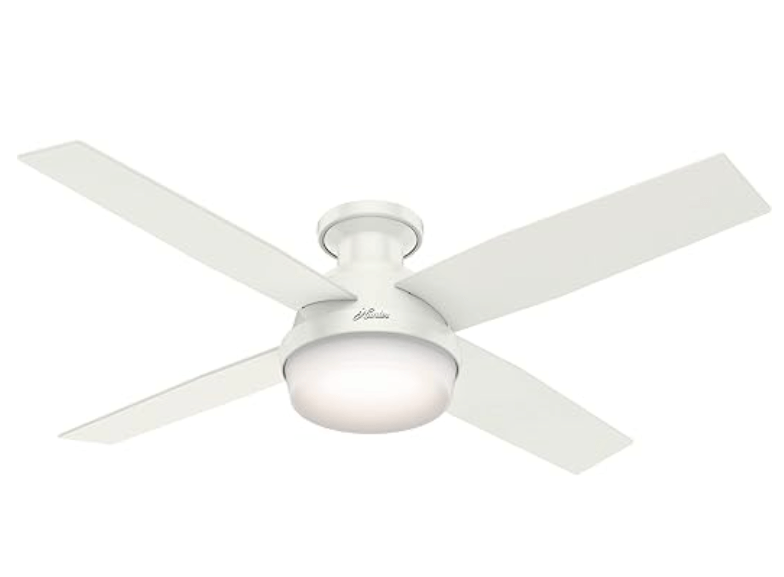
The Hunter Dempsey Ceiling Fan is a modern, contemporary fan with a stylish white finish and a built-in LED light kit. This fan is perfect for those looking for both functionality and design, combining efficient lighting with powerful airflow.

  • Modern Design: The Hunter Dempsey fan offers a sleek, modern look with cased white glass covering the LED light kit, ensuring that it fits well in modern bedrooms, living rooms, and kitchens.
  • WhisperWind® Motor: Just like other Hunter ceiling fans, the Dempsey model uses the WhisperWind motor, delivering ultra-quiet operation without compromising on air circulation.
  • LED Light Kit: Featuring energy-efficient, dimmable LED light bulbs, the Hunter Dempsey ceiling fan lets you control the ambiance of your room while saving on energy bills.
  • Remote Control: Adjust both the light brightness and fan speed effortlessly with the universal handheld remote, giving you full control from anywhere in the room.
  • Low Profile Design: Designed for rooms with low ceilings, this fan fits flush to the ceiling, making it ideal for spaces where ceiling height is limited.

Buy the Hunter Dempsey Ceiling Fan here

For more details on this modern and stylish fan, including its Fresh White finish and LED light kit, check out our detailed Hunter Dempsey Ceiling Fan

4. Hunter Swanson Ceiling Fan with LED Light Kit (52″, Fresh White Finish)

About This Fan

The Hunter Swanson Ceiling Fan combines classic styling with modern functionality. Its fresh white finish and LED light kit make it a versatile option for rooms that need a functional yet attractive ceiling fan.

  • Classic Design: The Hunter Swanson comes with reversible white blades and frosted glass LED light to add a timeless look to any room.
  • WhisperWind Motor: Equipped with the WhisperWind motor, this fan provides powerful airflow without producing disruptive noise, ensuring a comfortable living space.
  • LED Light Kit: The energy-efficient LED light kit is dimmable, allowing you to adjust the lighting to match your room’s ambiance.
  • Pull Chain Control: Use the convenient pull chain to turn the fan on/off and adjust the speed settings.
  • Room Placement: This ceiling fan is ideal for living rooms, bedrooms, children’s rooms, and nurseries due to its efficient cooling and modern design.

Buy the Hunter Swanson Ceiling Fan here

5. Why Choose Hunter White Ceiling Fans?

Hunter white ceiling fans not only deliver in terms of performance but also add a touch of elegance to any space. Here’s why you should choose a Hunter white ceiling fan:

  • Timeless Design: Whether you’re looking for a traditional, modern, or contemporary fan, Hunter white ceiling fans fit seamlessly with any décor.
  • Efficient Airflow: All Hunter fans are equipped with WhisperWind® motor technology, ensuring that the fan delivers powerful airflow while operating quietly.
  • Energy Efficiency: Hunter white ceiling fans with LED lighting help save on energy bills, offering long-lasting illumination and superior efficiency.
  • Ease of Use: Most Hunter fans come with remote control options or pull chain controls, providing convenience in adjusting settings with ease.

Conclusion: Hunter White Ceiling Fans – Perfect for Every Home

Whether you need a classic design like the Hunter Builder Elite, a low-profile option like the Hunter Low Profile IV, or a modern design like the Hunter Dempsey, Hunter white ceiling fans offer the ideal combination of performance, style, and efficiency. With their energy-efficient motors, sleek finishes, and quiet operation, they make an excellent choice for any room in your home.

Ready to add a Hunter white ceiling fan to your space? Explore the options and buy your perfect fan through our referral links:

  • Hunter Builder Elite Ceiling Fan
  • Hunter Low Profile IV Ceiling Fan
  • Hunter Dempsey Ceiling Fan
  • Hunter Swanson Ceiling Fan

Enjoy superior comfort, energy efficiency, and modern style with Hunter ceiling fans.

Filed Under: Hunter Ceiling Fans

  • « Previous Page
  • 1
  • …
  • 10
  • 11
  • 12
  • 13
  • 14
  • …
  • 27
  • Next Page »


Best Hunter Ceiling Fans

Bestseller No. 1 Hunter 59244 Dempsey Ceiling Fan 44 inches Fresh White
Hunter 59244 Dempsey Ceiling Fan 44 inches Fresh White
Check Price
Bestseller No. 2 Hunter 53090 Builder Deluxe Ceiling Fan 52 inches Brushed Nickel
Hunter 53090 Builder Deluxe Ceiling Fan 52 inches Brushed Nickel
Check Price
Bestseller No. 3 Hunter Fan Company Fan Builder Elite Indoor Ceiling Fan with Pull Chain Control, Metal, New...
Hunter Fan Company Fan Builder Elite Indoor Ceiling Fan with Pull Chain Control, Metal, New...
Check Price

Recent Posts

  • Hunter Ceiling Fan Remote Control Manual
  • Hunter Ceiling Fan Flickering Lights: Causes and Fixes
  • Hunter vs Kichler Ceiling Fans — The Ultimate Battle for Your Ceiling
  • Hunter Fan Company Phone Number & Contact Information (Official Guide)
  • Hunter HVLS Fans: The Definitive Guide to High-Volume, Low-Speed Airflow
  • Hunter 99373 vs 99375: What’s the Difference Between These Remotes?
  • Hunter Fan Remote Battery Replacement
  • Hunter 99123 Fan Remote Troubleshooting & Manual
  • How to Unpair Your Hunter Fan Remote
  • How to Install Hunter Low Profile Ceiling Fan

Legal Information

This site is owned and operated by HunterCeilingfans. Hunter ceiling fans is a participant in the Google Adsense Program, an advertising program designed to provide a means for sites to earn advertising fees by displaying related advertisements.

Hunter ceiling fans also is a participant in Amazon Associates Program. “As an Amazon Associate, I earn from qualifying purchases.”

Hunter ceiling fan is compensated for referring traffic to these companies. Hunter ceiling fans is an independent site with no connections to Hunter and is operated entirely by independent volunteers and writers to provide information.

We are not the manufacturer of Hunter Ceiling Fans, nor are we associated with Hunter in any way. We are a third-party resource website that tries to help site visitors to find valuable information.

Categories

  • Discontinued Hunter Ceiling Fans
  • Hunter Ceiling Fan Parts
  • Hunter Ceiling Fan Reviews
  • Hunter Ceiling Fan Support
  • Hunter Ceiling Fan Troubleshooting
  • Hunter Ceiling Fans
  • Hunter Fan Manuals

Partners

Harbor Breeze