Replacing the battery in your Hunter fan remote is a simple maintenance task that can often resolve issues with your fan’s control. The key is to first identify your specific remote model, as the type of battery required can vary significantly. Once you have the correct replacement battery—ranging from common AAA batteries to specialized coin cells like the CR2032 or cylindrical A23s—the process is straightforward and can be completed in just a few minutes, restoring full, reliable control to your ceiling fan.
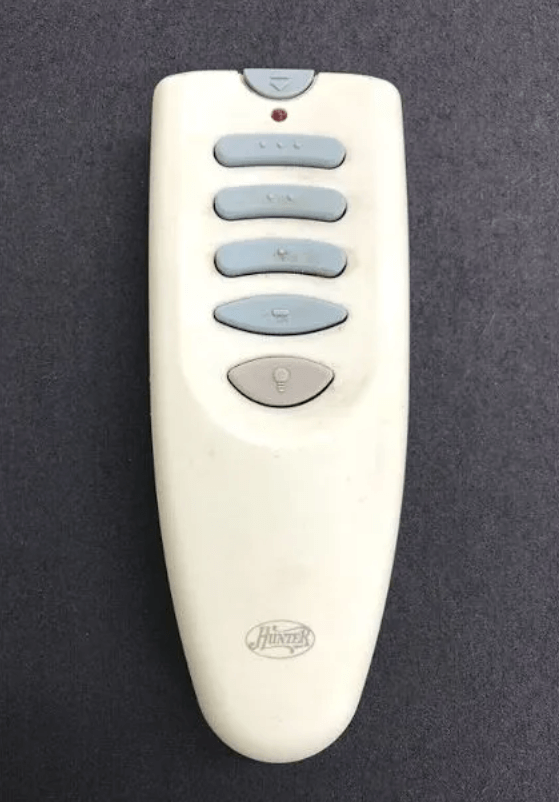
Why and When to Change Your Hunter Remote Battery
Remote controls are typically very reliable, but a dying battery can cause a range of frustrating issues. You should consider replacing the battery in your Hunter remote if you notice any of the following signs:
- Intermittent Function: The remote works sometimes but not every time you press a button.
- Dim or Unresponsive Indicator Light: The small LED on the remote (if it has one) appears faint or doesn’t light up at all when you press a button.
- No Response: The remote is completely unresponsive, even when you are close to the fan.
- Random Behavior: The fan or light turns on or off by itself.
While these issues can sometimes indicate a need to how to reprogram hunter fan remote, a new battery is always the first and easiest thing to check.
Step-by-Step Guide to Replacing Your Remote Battery
Follow these steps for a smooth battery replacement process.
Step 1: Identify Your Remote Model
Before you buy a new battery, you need to know which one to get. The model number is often located on the front of the remote or inside the battery compartment. Look for a small sticker or engraved number. This is crucial as a Hunter fan remote may use different battery types depending on the model.
Step 2: Determine the Correct Battery Type
Hunter remotes use a variety of batteries. Do not assume your remote uses a standard AAA or AA battery. Here are some common examples:
- Hunter 99123 Remote: Uses a A23 battery.
- Hunter 99122 Remote: Uses a CR2032 coin cell battery.
- Hunter 99373 & 99375 Remotes (Wall Controls): Use AAA batteries.
Step 3: Open the Battery Compartment
Once you have the correct battery, locate the battery compartment door. It is usually a small panel on the back of the remote. You may be able to slide it open with your thumb, or you might need a small screwdriver or coin to pry it open or unscrew a small latch.
Step 4: Remove the Old Battery
Carefully remove the old battery. If it is a coin cell or A23, you might need a small flat-head screwdriver or a paperclip to gently pry it out. Pay attention to the orientation of the old battery so you know how to insert the new one correctly.
Step 5: Insert the New Battery
Insert the new battery into the compartment, making sure to match the polarity (+/-) to the markings inside the remote. A coin cell battery should be placed with the positive (+) side facing up. A cylindrical battery should align with the spring and flat end as marked. Close the battery compartment door securely.
Troubleshooting After Battery Replacement
If your remote still isn’t working after you’ve installed a new battery, don’t worry. It’s a common issue that the remote may have lost its programming.
- Perform a Reset: Try performing a simple reset by removing and re-inserting the new battery after a minute. For more comprehensive steps, our guide on Hunter Fan Remote Reset is a great resource.
- Reprogram the Remote: A new battery can sometimes cause the remote to lose its connection. You will need to re-pair it with the fan’s receiver. The steps for this vary by model, but our general guide on how to reprogram hunter fan remote covers the most common methods.
Where to Buy Replacement Batteries
Finding the right battery is the most important step. Standard sizes like AAA are available everywhere, but specialized batteries like the A23 or CR2032 are often best sourced from a reliable online retailer.
You can find all the common Hunter remote replacement batteries on Amazon.
Conclusion
Replacing the battery in your Hunter fan remote is a simple fix that can save you the hassle of a malfunctioning remote. By correctly identifying your remote model and the battery it requires, you can easily restore full functionality. If you’ve replaced the battery and are still having trouble, the issue may be a loss of programming, which can be quickly fixed with a simple re-pairing. For further troubleshooting, refer to our comprehensive guide on Hunter Ceiling Fan Remote Not Working.
I am trying to find the right battery for my Hunter fan remote control. part # GO878-01 FCC ID IN2TX30 FREQ 350MHz. There is a 1111 sticker inside near where the battery goes, and another sticker in the middle 02175. I also need a cover to cover the battery. Would it be better to replace the battery and cover, or replace the whole remote?
You should get a new remote.