Can You Operate Your Hunter Ceiling Fan Without a Remote?
Hunter ceiling fans are designed for comfort, efficiency, and style, and many of their models come equipped with a remote control for added convenience. However, there are times when the remote might malfunction, get lost, or even need to be replaced, leaving you wondering if the fan can still work without it. The short answer is: yes, your Hunter ceiling fan can still operate without a remote.
In this article, we’ll explore how Hunter fans can be operated manually, how to troubleshoot remote issues, and what options you have for continued use of your fan in case your remote is not working or is unavailable. We’ll also discuss different control mechanisms for Hunter ceiling fans, as well as provide tips on keeping everything in working order.
Let’s dive into the details of how Hunter ceiling fans operate without a remote control and what to do if you’re facing this issue.
1. Understanding Hunter Ceiling Fan Controls
While many Hunter ceiling fans come with remote controls for convenience, they still have traditional methods of control that allow them to function without a remote. Depending on the model you own, these methods can include:
Pull Chain Controls
The simplest and most common way to operate a Hunter ceiling fan without a remote is using a pull chain. Most Hunter fans come with a pull chain to control the fan’s speed, direction, and light settings. You can pull the chain to cycle through different fan speeds (low, medium, high) or toggle the light on and off.
How to Operate with Pull Chains:
- Fan Speed Control: The pull chain usually controls the fan speed. Pull once to turn the fan on, and then continue pulling to cycle through the different speed settings.
- Light Control: If your fan has an integrated light kit, the pull chain can also be used to turn the lights on and off or adjust their brightness, depending on the model.
Wall Switches
If your Hunter fan has a wall-mounted switch, you can control it directly through this switch. This is typically a standard on/off switch for the fan. However, some models come with more advanced wall controls that allow you to adjust the fan speed and light levels.
How to Use a Wall Switch:
- On/Off Function: If your fan only has a basic wall switch, you’ll be able to turn the fan on and off by flipping the switch.
- Speed Control: For fans with more advanced wall switches, you can adjust the speed or even set the fan’s direction using a simple dial or toggle.
Hunter Ceiling Fans with Smart Technology
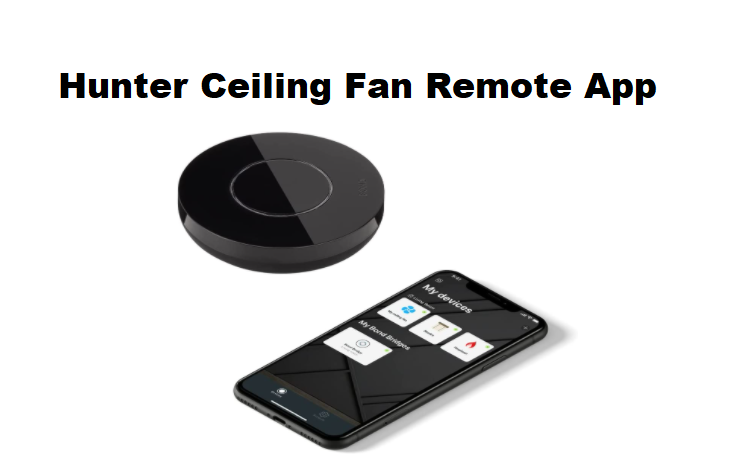
Some newer Hunter ceiling fan models come with HunterSmart™ technology, which allows the fan to be controlled via a smartphone app or voice assistant like Alexa or Google Assistant. Even without the physical remote, you can still operate these fans through your mobile device or voice commands.
How to Use Smart Controls:
- Voice Control: Simply use your smart device or voice assistant to control the fan’s speed, light, and direction without the need for a remote.
- Mobile App Control: Download the HunterSmart™ app to control your fan from your smartphone, ensuring convenience without a remote.
2. Troubleshooting a Non-Functional Hunter Fan Remote
If your Hunter fan is equipped with a remote control but it’s not working, there are a few common issues that could be causing the problem. Fortunately, many of these can be fixed quickly.
Check the Remote Battery
One of the most common reasons your Hunter fan remote may stop working is a dead battery. The first thing you should do is check and replace the battery in the remote.
- Solution: Replace the battery with a new one and ensure it’s inserted correctly, following the battery polarity markings inside the remote.
Reset the Remote Control
If the battery isn’t the issue, your remote may need to be reset or re-synced with your ceiling fan.
- Solution: Most Hunter fans allow for easy remote resetting by turning off the power at the breaker, waiting for about 30 seconds, and then turning the fan back on. Once powered on, follow the instructions in your fan’s user manual to sync the remote with the fan again.
Check the Remote Receiver
The issue may lie with the fan’s receiver, especially if the remote works intermittently or not at all.
- Solution: If the receiver is malfunctioning, it may need to be replaced. You can purchase replacement remote receivers from Hunter or contact their customer service for assistance.
3. Can a Hunter Ceiling Fan Operate Without a Remote?
As mentioned earlier, Hunter ceiling fans can operate manually without a remote control. Here’s a summary of how to operate your fan without the remote:
- Pull Chain: Use the pull chain to control the fan’s speed and turn the light on or off.
- Wall Switch: If your fan is wired to a wall switch, use it to control the fan’s on/off function and speed settings (if applicable).
- HunterSmart™ Control: If your fan has smart technology, use your smartphone or voice assistant to control the fan.
If your remote has stopped working and you don’t want to rely on pull chains or wall switches, you can purchase a replacement remote or opt for a universal remote control that is compatible with your Hunter fan model.
4. Why Choose Hunter Ceiling Fans Without a Remote?
While Hunter fans with remotes are incredibly convenient, there are benefits to opting for manual control methods as well:
- Reduced Complexity: Not relying on a remote reduces the chances of interference or connectivity issues. It also eliminates the need for batteries or charging.
- Simple Operation: For those who prefer a more straightforward fan control experience, using a pull chain or wall switch can be easier than managing remote settings.
- Cost-Effective: Ceiling fans without remotes are generally less expensive and may be a more budget-friendly option if you don’t need the extra features of a remote.
5. Conclusion
Yes, your Hunter ceiling fan can work without a remote, and it’s designed with user-friendly manual controls like pull chains and wall switches. While the remote offers added convenience, you can still enjoy optimal performance with manual settings.
If you find that your remote has stopped working, troubleshooting steps like replacing the battery, resetting the remote, or checking the receiver can help. Additionally, if you prefer the ease of a remote, you can always purchase a replacement remote or opt for Hunter’s smart technology for a more connected experience.
By understanding how to operate your Hunter ceiling fan without a remote, you can continue to enjoy its comfort and functionality, no matter the situation.
Leave a Reply